When Immich rejects uploads or the server never becomes healthy after a path change, the cause is usually free space, a bad UPLOAD_LOCATION, or host permissions — not the web UI itself.
Symptom matrix
| What you see | Check first |
|---|---|
| Spinner forever / empty library | Disk space + UPLOAD_LOCATION bind mount |
Insufficient storage | df -h on the host path behind the volume |
| HTTP 413 / proxy errors | Reverse-proxy body size (HTTPS post) |
| Server restarts / never healthy | Folder integrity checks under UPLOAD_LOCATION |
| Mobile upload fails, web works | Client network / HTTPS URL settings |
Official reference: System integrity — folder checks.
1. Free space
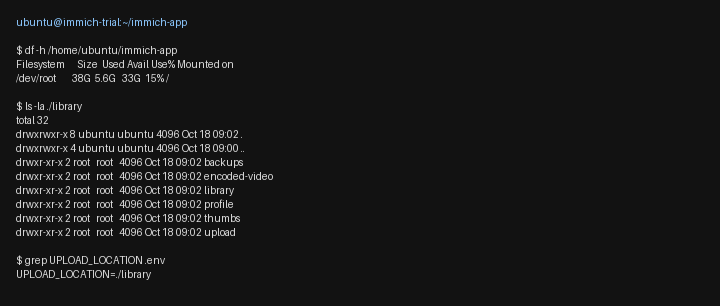
df -h /home/ubuntu/immich-app
du -sh ./library ./postgres 2>/dev/null
Thumbnails and encoded video need headroom beyond the originals. If the filesystem is near full, free space or move the library (external storage).
2. Confirm UPLOAD_LOCATION matches the bind mount
In .env:
grep UPLOAD_LOCATION .env
That path must exist on the host and must be the same directory mounted into the server container. If you regenerate env files from the compose generator, merge carefully — do not overwrite a customized path by accident.
3. Broken path: what Immich logs look like
On the trial host we pointed UPLOAD_LOCATION at an empty, unusable directory. The microservices worker failed the folder check and exited:
Failed to read: "<UPLOAD_LOCATION>/encoded-video/.immich (...)"
Please see https://docs.immich.app/administration/system-integrity#folder-checks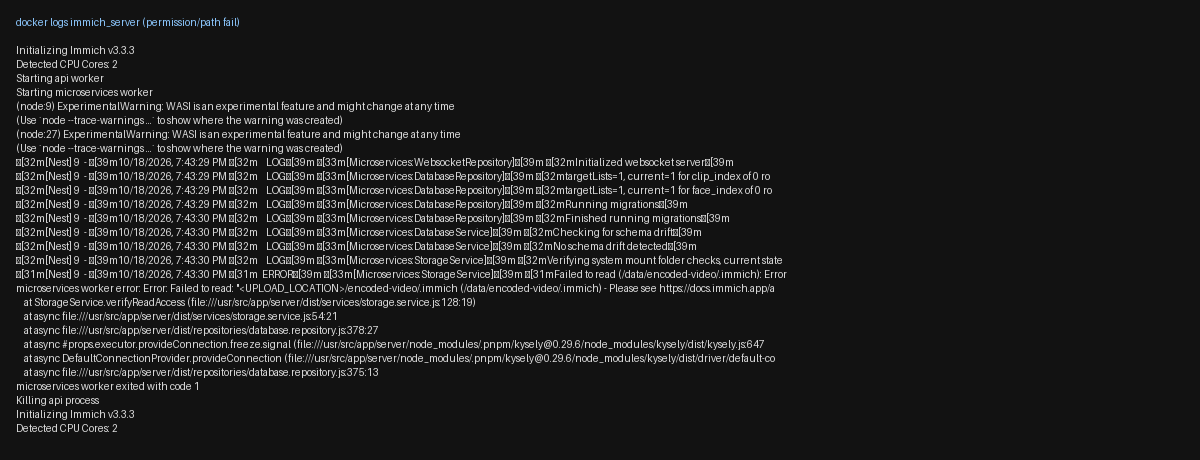
Fix:
- Restore a valid
UPLOAD_LOCATION(existing library tree with the expected subfolders). docker compose up -d- Confirm
docker compose psshows a healthyimmich_server.
4. Permissions
Containers often write as root; host directories may be owned by your SSH user. Patterns that work on Ubuntu with the official Compose file:
- Ensure the upload directory tree exists before
up -d. - If Immich cannot create
.immichmarker files, fix ownership on the host path (for examplesudo chown -R 1000:1000 ./librarywhen the container runs as UID 1000 — match whateverdocker compose exec immich-server idreports on your box). - Avoid mounting the library read-only.
5. Read logs during a failed upload
docker logs immich_server --tail 100Map lines to a missing path, permission denied, a full disk, or proxy and client size limits. If HTTPS is already in front, raise client_max_body_size (Nginx) or the Caddy body limit — covered in Immich Behind HTTPS: Nginx or Caddy Reverse Proxy Basics.
6. Verify the fix
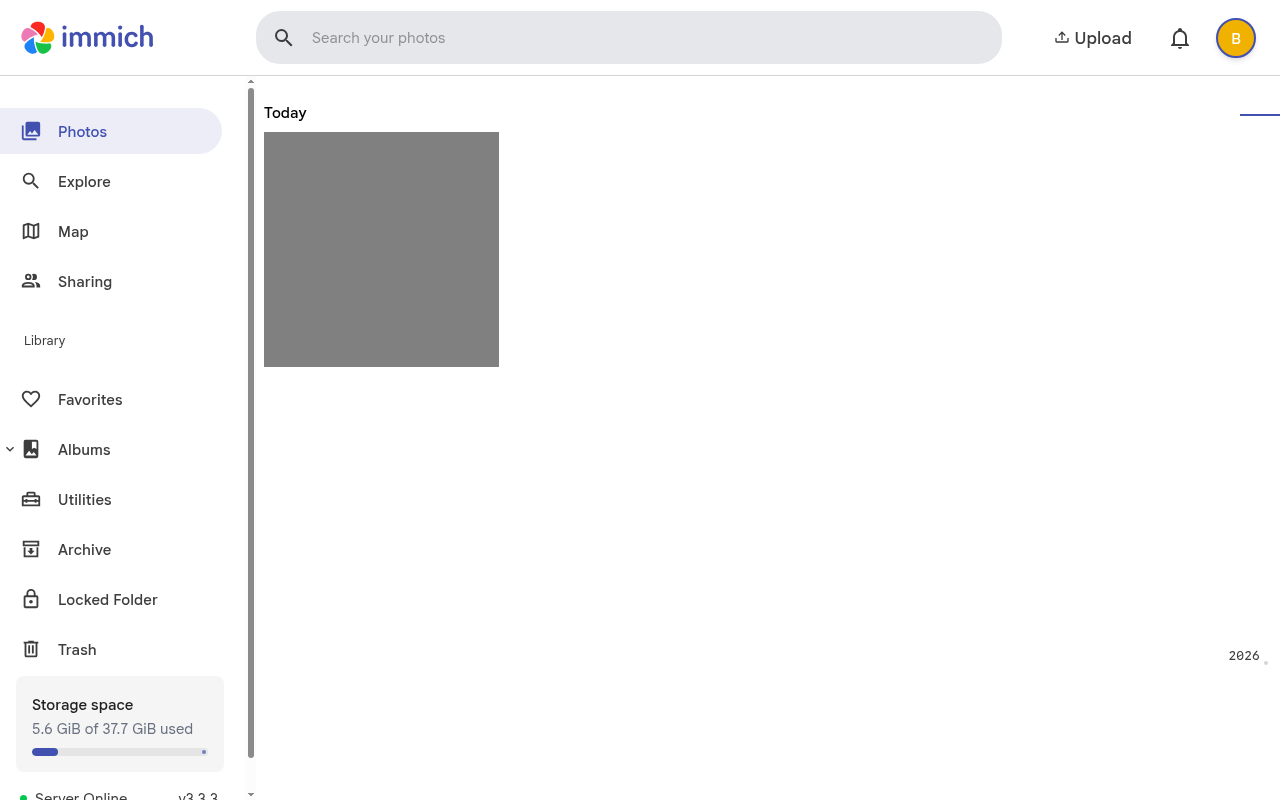
Re-upload the same file. Confirm:
- The timeline shows the asset
- A new object appears under
UPLOAD_LOCATIONon disk
Related
- Minimal install with ML off: follow Minimal Immich Install on Ubuntu (No ML) with Our Compose Generator, then keep
UPLOAD_LOCATIONstable. - Next: an HTTPS reverse proxy so you can close public
:2283(Nginx or Caddy).